
Arduino Automation3.0 - Google Play
You'll be able to see results in few seconds.
Publisher Description
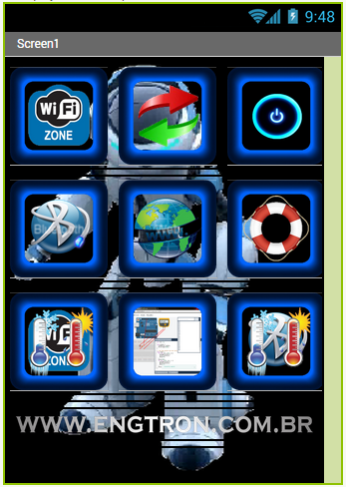
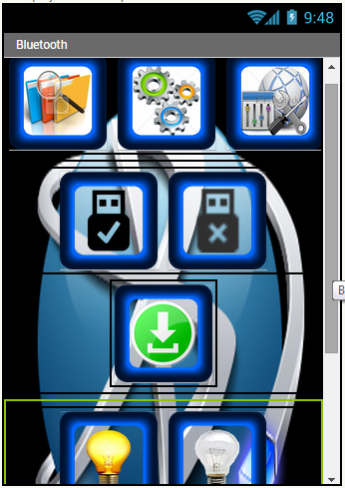
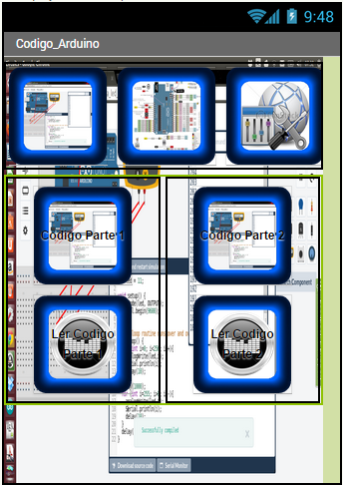
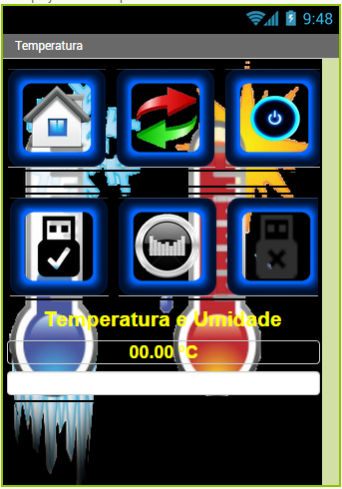
This application comes with three modes of transmission of code to Arduino or similar board.
1st = Bluetooth - sends the
= 1.1 light button ( to turn , it sends the number " 1 " without the quotation marks ) and ( to turn off the "A" without the quotation marks ) .
1.2 = lamp button ( to turn , it sends the number " 2 " without the quotation marks ) and ( to shut down , it sends the " B " without the quotation marks ) .
1.3 = submit button it sends the code you entered in the input field ( type the code to send to your plate " code should be the same as that in the bluetooth program Arduino board " ) .
Note: you must connect your bluetooth phone in the password field blank and enter " 12345 " after the phone paired with this card is only connected by Bluetooth Application and use of resources .
2nd = Wifi - you must enter the
2.1 - the first input field ( or IP Url without htto :/ / ) Ex : 192.168.10.100
2.2 - the second input field ( port ) Ex : 8084
2.3 - Third entry field if you need to send a different code can be typed and sent the submit button code.
2.4 - Light button ( to turn , it sends the code " / ligar1 ? " Without the quotation marks ) and ( to shut down, it sends the code " / desligar1 ? " Without the quotation marks ) .
2.5 - lamp button ( to turn , it sends the code " ? / Ligar2 " without the quotation marks ) and ( to shut down , it sends the code " / desligar2 ? " Without the quotation marks ) .
At the bottom of the written application helps the user to know how this functions being sent appears .
3rd = Web - You type in the input field the URL of the page and click on the submit button , and the page appears at the bottom of the program .
4th = Help - Help is on the page the topics of how to use the same application shown here .
5th = was released a video tutorial on youtube on how to program the Arduino and soon make available the video of how to use the application.
The Url of this page from youtube below.
6th = Temperature and Humidity Sensor.
7th = Source code for the Arduino running the apk.
Engtron
Site - http://www.engtron.com.br
Email - atendimento@engtron.com.br
Video - http://www.youtube.com/watch?v=n_O0fX6irqk&list=UUPkXxXhqOahWBl_kps94c4w&feature=c4-overview
About Arduino Automation
The company that develops Arduino Automation is EngTron. The latest version released by its developer is 3.0.
To install Arduino Automation on your Android device, just click the green Continue To App button above to start the installation process. The app is listed on our website since 2015-04-05 and was downloaded 0 times. We have already checked if the download link is safe, however for your own protection we recommend that you scan the downloaded app with your antivirus. Your antivirus may detect the Arduino Automation as malware as malware if the download link to appinventor.ai_lincolnleik1.Bluetooth_Wifi_Arduino_Controle is broken.
How to install Arduino Automation on your Android device:
- Click on the Continue To App button on our website. This will redirect you to Google Play.
- Once the Arduino Automation is shown in the Google Play listing of your Android device, you can start its download and installation. Tap on the Install button located below the search bar and to the right of the app icon.
- A pop-up window with the permissions required by Arduino Automation will be shown. Click on Accept to continue the process.
- Arduino Automation will be downloaded onto your device, displaying a progress. Once the download completes, the installation will start and you'll get a notification after the installation is finished.
Program Details
System requirements
Download information
Pricing
Version History
version 3.0
posted on 2015-04-05
Comando por voz,Melhora na configuração,Agite para falar ou clique no botão de voz,Melhora no visual do aplicativo,Recurso de leitura por escrita do recurso
Disclaimer
Official Google Play Link
We do not host Arduino Automation on our servers. We did not scan it for viruses, adware, spyware or other type of malware. This app is hosted by Google and passed their terms and conditions to be listed there. We recommend caution when installing it.
The Google Play link for Arduino Automation is provided to you by apps112.com without any warranties, representations or guarantees of any kind, so access it at your own risk.
If you have questions regarding this particular app contact the publisher directly. For questions about the functionalities of apps112.com contact us.
